Advanced blocks
Blocks in Minecraft
The previous overview pages have only used blocks that are described fully by
their namespaced ID (e.g. minecraft:stone). However, some Minecraft blocks can
have additional information attached to them. In general, a block consists of
three components:
Its namespaced ID.
This is the main identifier that all blocks have, such as
minecraft:stone. More information can be found here.Optional block states/block properties [1].
Block states are simple key-value properties that usually denote basic variations in the state of a block. For example, a stairs block can be facing in one of four possible directions (
north,east,south,west). A full list of all block states can be found here.Optional block entity data.
Some blocks have particularly complex data attached to them, such as the items in a chest or the text on a sign. Minecraft stores this kind of data in a so-called block entity (also known as a tile entity) using the NBT format (Named Binary Tag), a binary data structure. NBT also has a human-readable text representation called SNBT (Stringified NBT). The GDMC HTTP Interface and GDPC both use the SNBT format to interact with block entity data. A full list of all blocks with block entities can be found here.
You can view the namespaced ID and block states (but not the block entity data) of a block in-game by pressing F3 and pointing at the block. They will be shown at the bottom right, below “Targeted Block”:
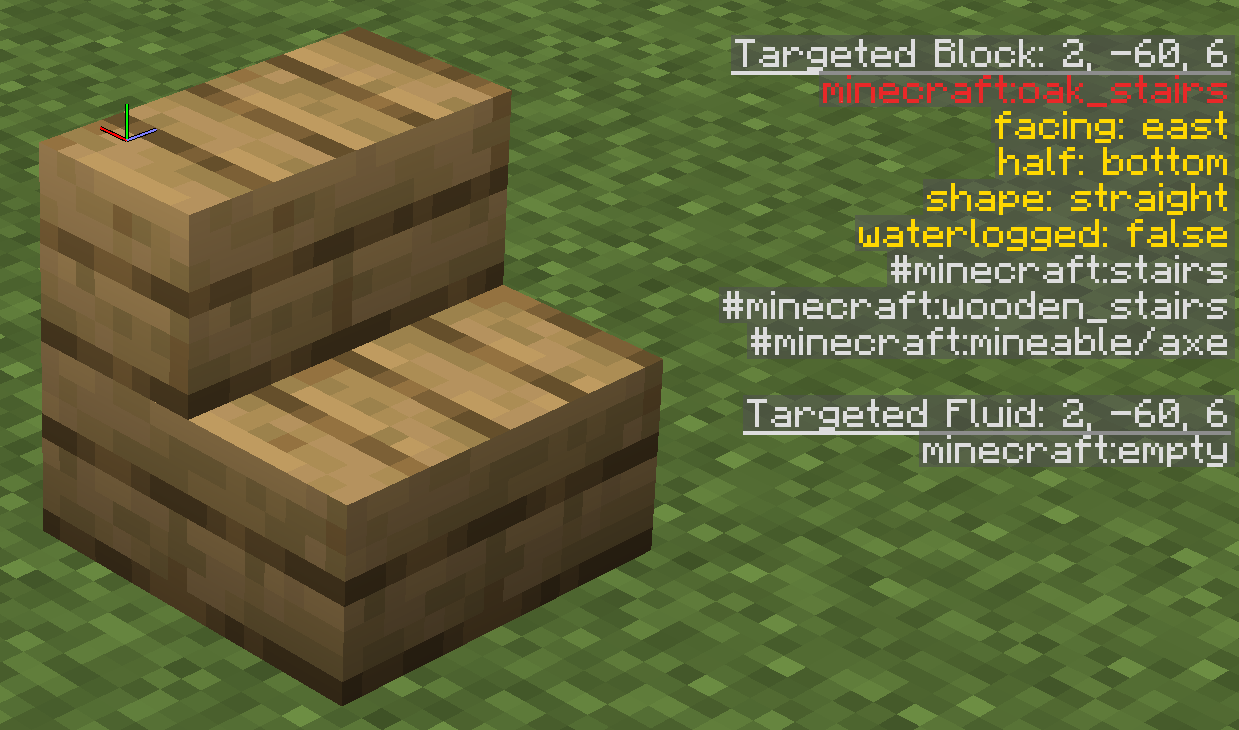
Block info shown by the F3 view. We have highlighted the block ID in red and the block states in yellow.
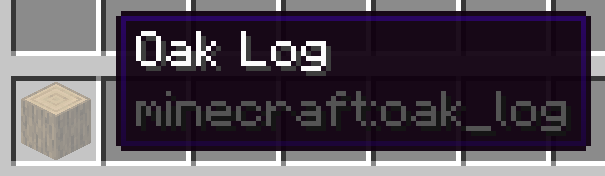
To get the namespaced ID of a block in your inventory, you can also press F3+H to enable advanced tooltips and then hover over the block. The ID should be shown at the bottom of the tooltip:
The GDPC Block class
In GDPC, blocks are represented by the Block class, which has three
attributes that correspond to the aforementioned components:
Block.id(str | None)The (namespaced) id.
Example:"minecraft:stone"The standard namespace “minecraft:” can be omitted when placing blocks, though it will be there when retrieving them. If this is set to
None, the block represents “nothing”. Placing such a block has no effect. This is opposed to blocks of"air", which do replace existing blocks.Block.states(Dict[str, str])Optional block states as a dictionary.
Example:{"facing": "north", "waterlogged": "false"}The dictionary values should always be strings, even for numeric or boolean block states.
Block.data(str | None)Optional block entity data as an SNBT string.
Example:'{Items: [{Slot: 13b, id: "apple", Count: 1b}]}'
You usually don’t need to set a Block’s properties directly, since you can
specify them in its constructor (see the examples below).
Examples
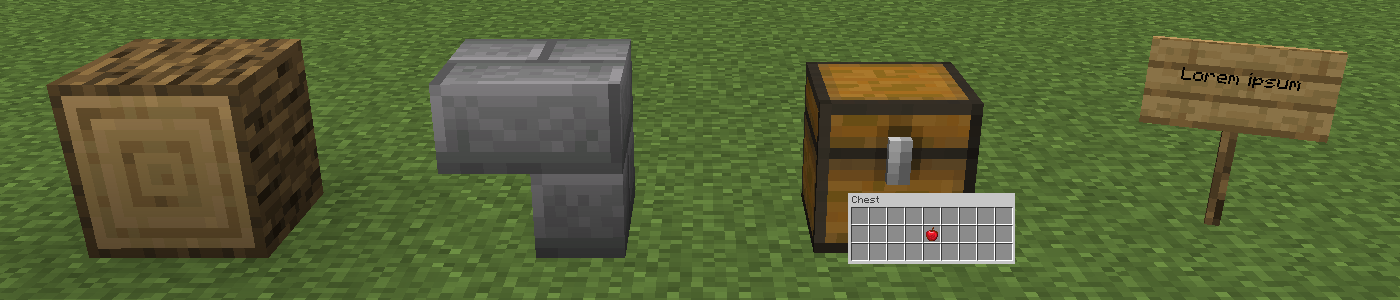
An oak log on its side (aligned with the z-axis):
log = Block("oak_log", {"axis": "z"})A stone brick stairs block that’s upside-down and facing west:
stairs = Block("stone_brick_stairs", {"facing": "west", "half": "top"})A chest with an apple in the middle slot:
chest = Block("chest", data='{Items: [{Slot: 13b, id: "apple", Count: 1b}]}')A sign that’s rotated by 9 steps and shows the text “Lorem ipsum”:
sign = Block(
    "oak_sign",
    {"rotation": "9"},
    "{front_text: {messages: ['{\"text\": \"\"}', '{\"text\": \"Lorem ipsum\"}', '{\"text\": \"\"}', '{\"text\": \"\"}']}}"
)
Helper functions
As shown by the examples above, specifying complex blocks by hand can be
cumbersome. To make this simpler, the minecraft_tools module contains
several helper functions that create Block objects. For example:
from gdpc.minecraft_tools import signBlock

# Create the same sign block as in the earlier example
sign = signBlock("oak", rotation=9, frontLine2="Lorem ipsum")
In addition, the editor_tools module contains several functions that
create a block and place it in one go. For example:
from gdpc import Editor, Block
from gdpc.editor_tools import placeSign, placeContainerBlock

editor = Editor()

# Place the sign from before at (0,80,0)
placeSign(editor, (0,80,0), "oak", rotation=9, frontLine2="Lorem ipsum")
Note
The minecraft_tools and editor_tools modules contains various
Minecraft-related utilities that don’t fit well into any other GDPC module. The
former contains utilities that don’t read or write to the world and thus don’t
need an Editor object, while the latter contains utilities that do deal with
the world an thus do need an Editor.
Randomized block palettes
One more GDPC feature related to blocks is randomized block palettes.
Most of GDPC’s block placing functions work not only with a single Block, but
also with a sequence of Blocks. If a sequence is passed, blocks are sampled
randomly. This can be handy for achieving more “rugged” looks.
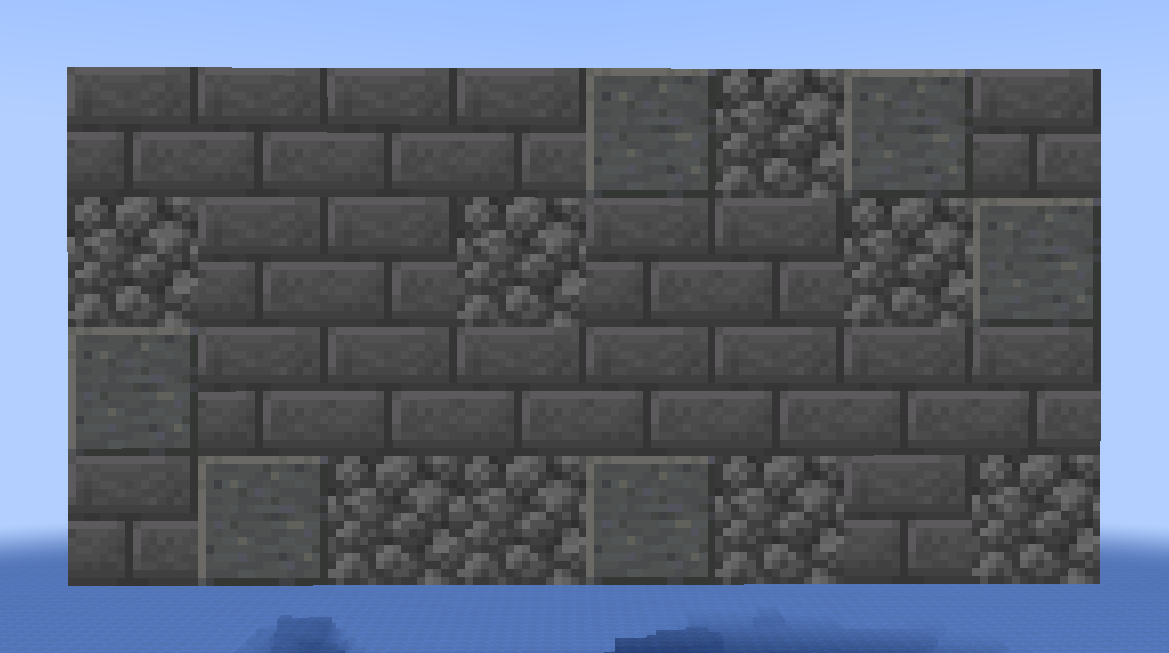
The example below builds a wall using a palette of primarily stone bricks with some cobblestone and polished andesite mixed in. The wall will look different every time you run the code.
from gdpc import Editor, Block
from gdpc.geometry import placeCuboid

editor = Editor()

palette = (
  3*[Block("stone_bricks")] + [Block("cobblestone"), Block("polished_andesite")]
)

placeCuboid(editor, (0,80,0), (0,83,7), palette)
For example, it could look as follows: